We’ve updated the way our OK Cigalike and 10 Motives Flavour Match multibuy offers are displayed on our website.
Your usual multibuy prices, discounts and eligible bonus items will remain the same. The only difference is how you now select them.
Instead of adding a multibuy to your basket and choosing any bonus items at checkout, you can now make these selections directly on the product page.
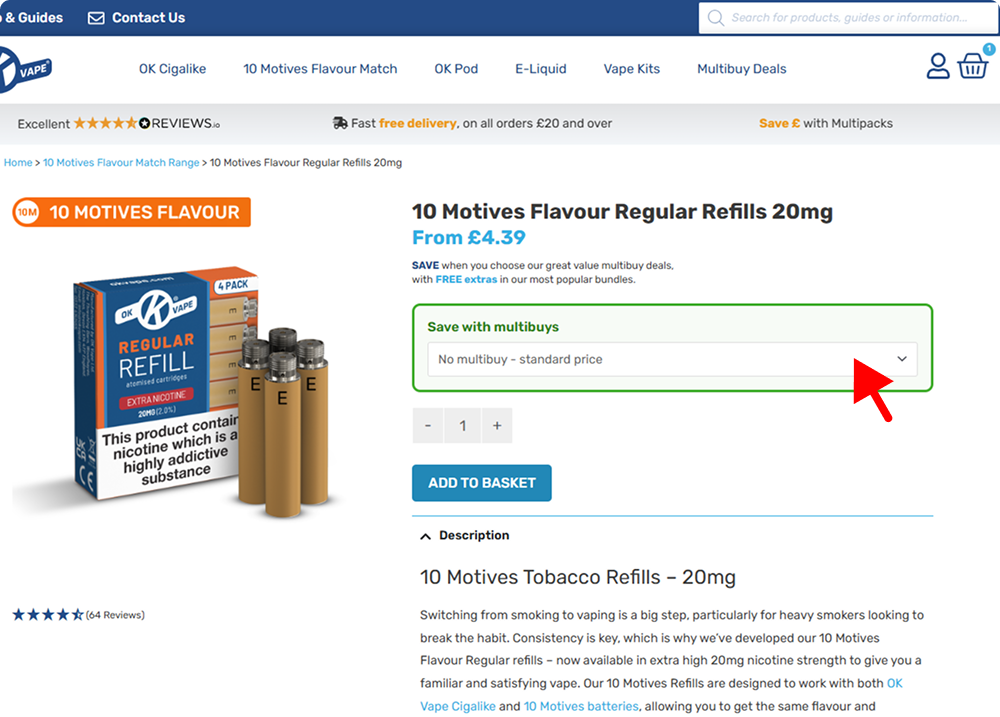
Step 1: Open the multibuy dropdown
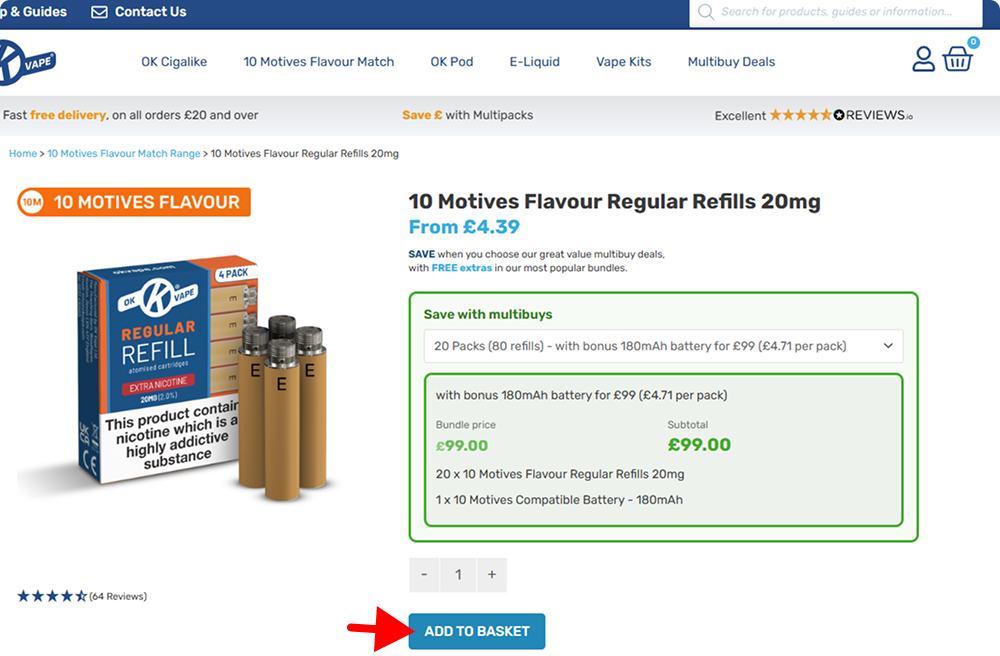
Go to your choice of refill product page and open the “Save with multibuys” dropdown menu by clicking on “Choose a bundle”.
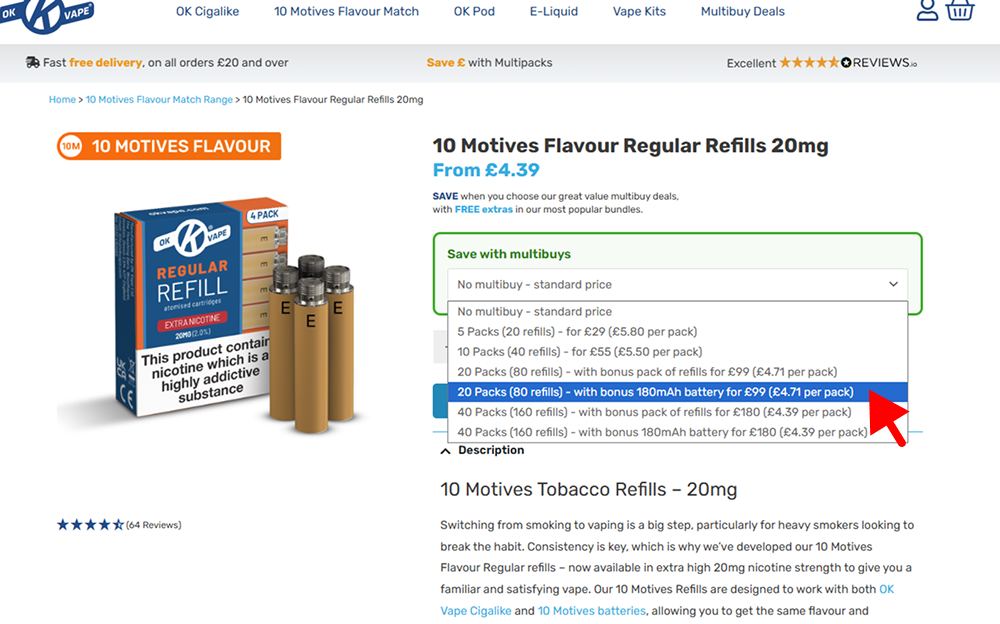
Step 2: Choose your preferred bundle
Pick the multibuy option you want. Each option shows the number of packs included, any eligible bonus item, along with the total bundle price.
For example, you can choose a multibuy with bonus refills or a multibuy with bonus K1 batteries, depending on the offer.
Step 3: Add to basket
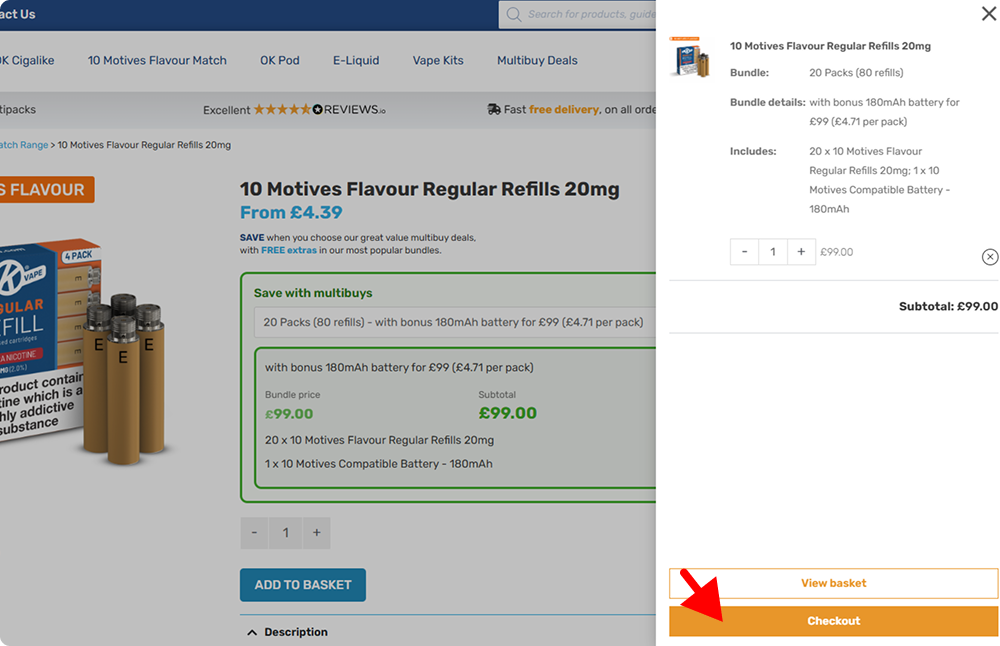
Once you’ve selected your preferred multibuy option, click “Add to Basket” and continue to checkout as usual.
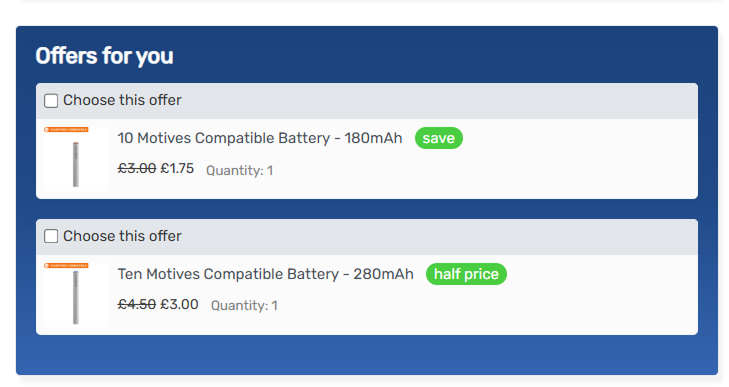
You can still add optional half-price batteries at checkout in the “Offers for you” section above your payment details.
Here is what the offers section looks like:
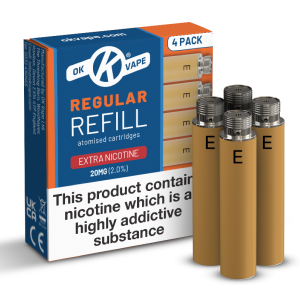
Shop Your Usual Multibuy Refills
Choose from our OK Cigalike and 10 Motives Flavour Match refill ranges below.

Separately, navigate to our Multibuy Deals page to view what products are included in our multibuy deals packages.